

Before Parker saves
Parker asks for every field your workspace needs before it shows you the card. For a new case, your admin can choose which fields those are. See Governance.When a save is refused
If Salesforce refuses the save after you tap Confirm:- Parker tells you why in plain language, quoting your org’s own message, such as “Asset is required for High priority cases.”
- It asks again for just the fields that need fixing.
- When you answer, it shows a new card for you to confirm.
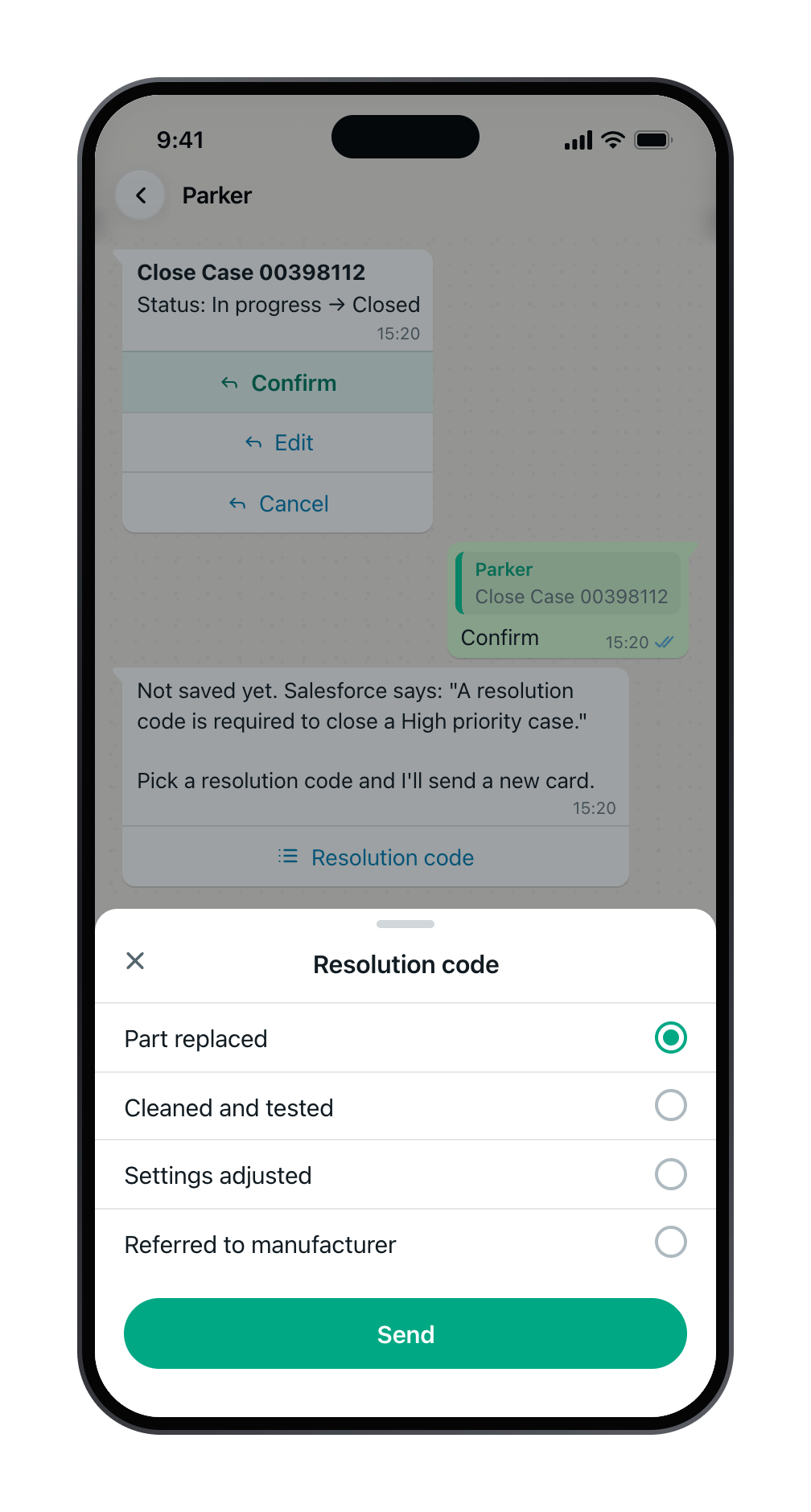
Salesforce needs a resolution code. Parker quotes the rule and lists the codes.
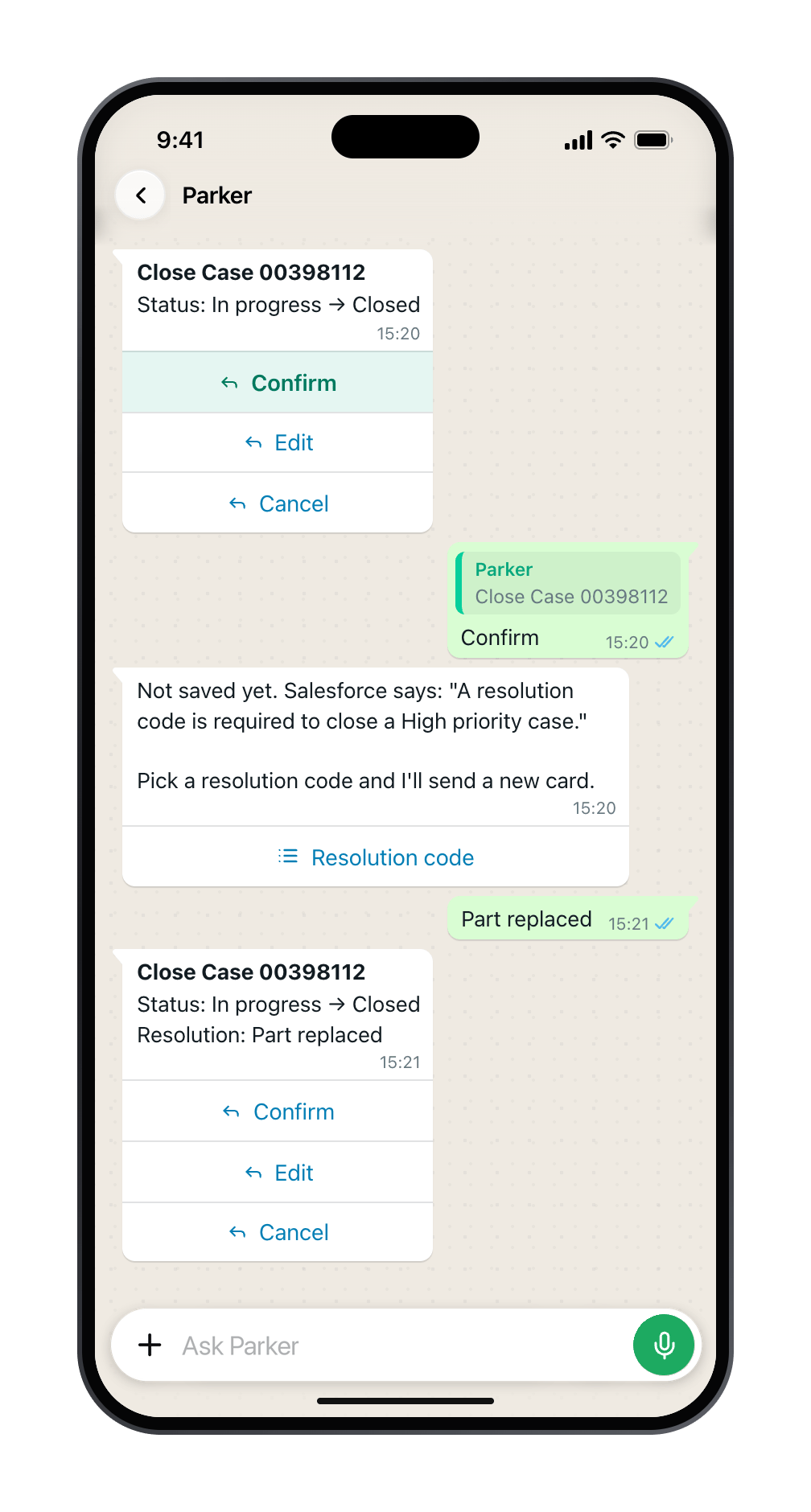
Pick one, and Parker sends a new card to confirm.
Common reasons
Still need help?
Check Troubleshooting for the exact message you see. If a setting is admin-only, ask your Parker admin. For anything else, contact support.Related
Confirm, edit, and correct
How confirmation cards work.
Log a job from a photo
Open a case from the Parker app.