

Before you begin
- Your admin has set up Salesforce for your workspace. See Connect Salesforce.
- You’ve connected your own Salesforce account in Settings > Connections. See Quickstart.
What can I ask about?
Parker reads Salesforce live, so answers reflect what’s in Salesforce now.
What data can Parker see?
Parker sees exactly what you can see in Salesforce, and no more. It uses your own Salesforce login, so your permissions, field-level security, and sharing rules all apply. Parker often starts its answer by saying what it read. For example, how many records it queried, which fields it used, and whether any records were excluded by sharing or field-level security. That means two people can ask the same question and get different answers. If a record or field is missing from Parker’s answer, check whether you can see it in Salesforce.Ask a Salesforce question
1
Start a chat
Select New chat in the sidebar.
2
Ask your question
Type your question in plain words and send it. Name the record, time period, or filter if you know it.
3
Check the sources
Records in the answer carry numbered source markers. Hover over one to see the record, or select it to open the record.
4
Ask a follow-up
Keep going in the same chat. Parker remembers what you’ve already asked in the conversation, so “now only the ones in Texas” works.
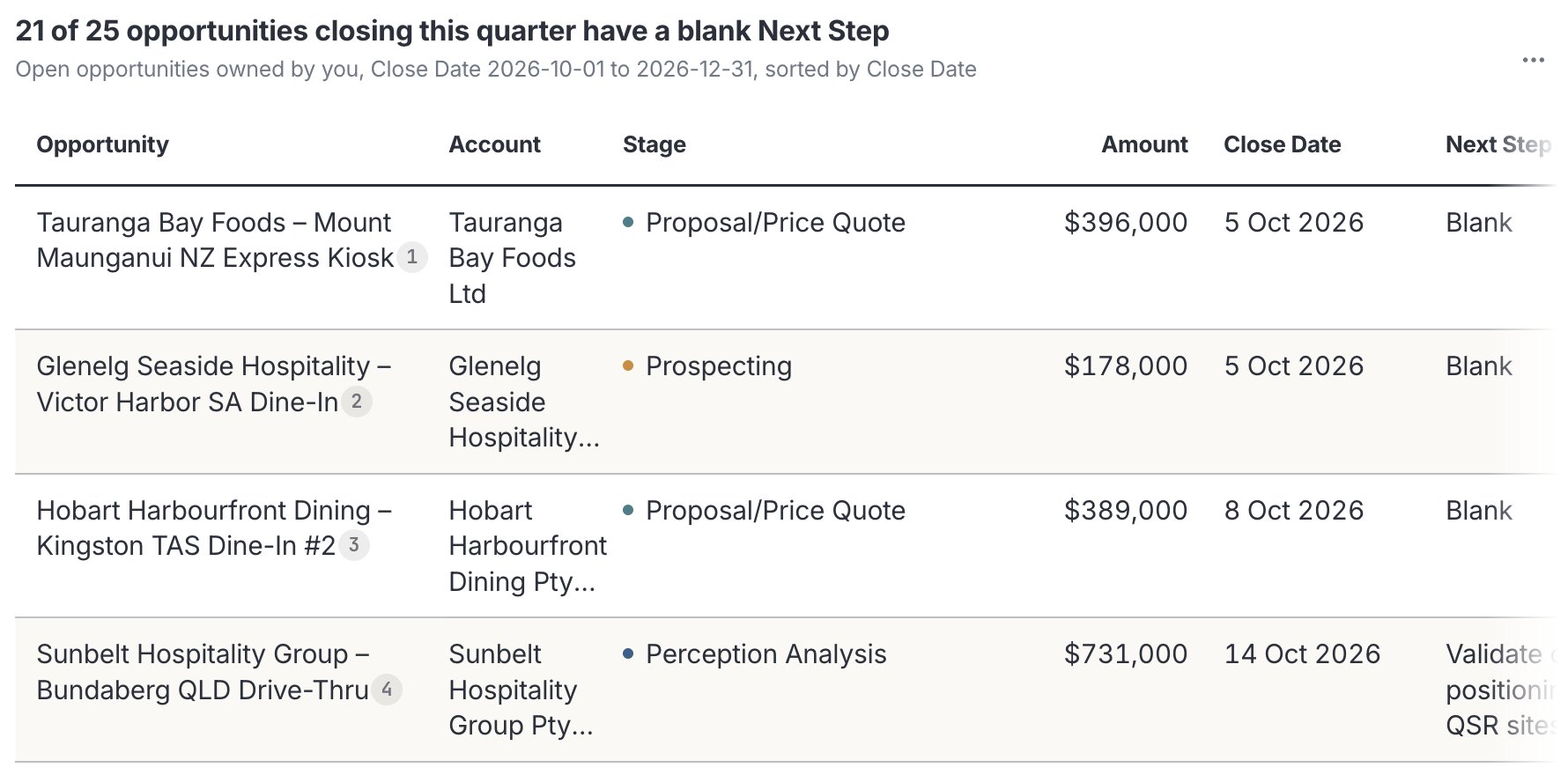
A table answer. Each opportunity has a numbered source marker.
Check it worked
Hover over a source marker. A card shows the record’s key fields and Fetched live from Salesforce for this reply.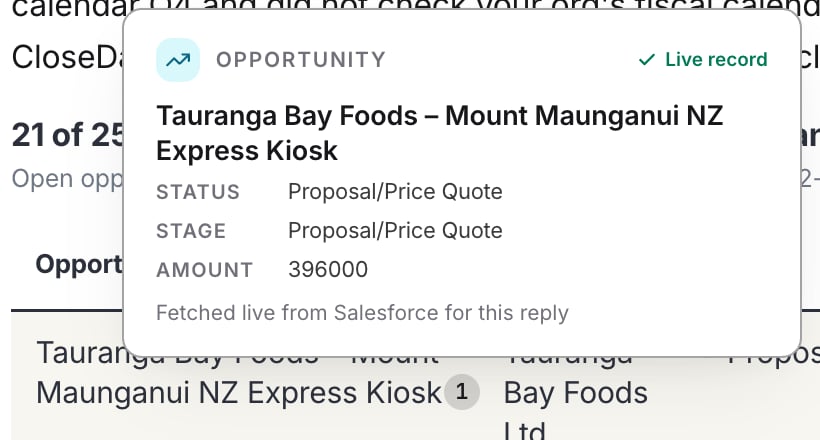
Hover over a source marker to preview the record.
Open a record without leaving the chat
Select a record’s source marker to open it beside the chat. You see:- The record’s type and name, and for an opportunity, its stage and the next stage, such as Step 7 of 9.
- Its key fields, then Other fields.
- Show N empty fields, to see fields with no value, and System Information.
- Related, with the record’s related lists.
- Open in Salesforce, to open the record in Salesforce itself. The footer reads Live from Salesforce, with your access.
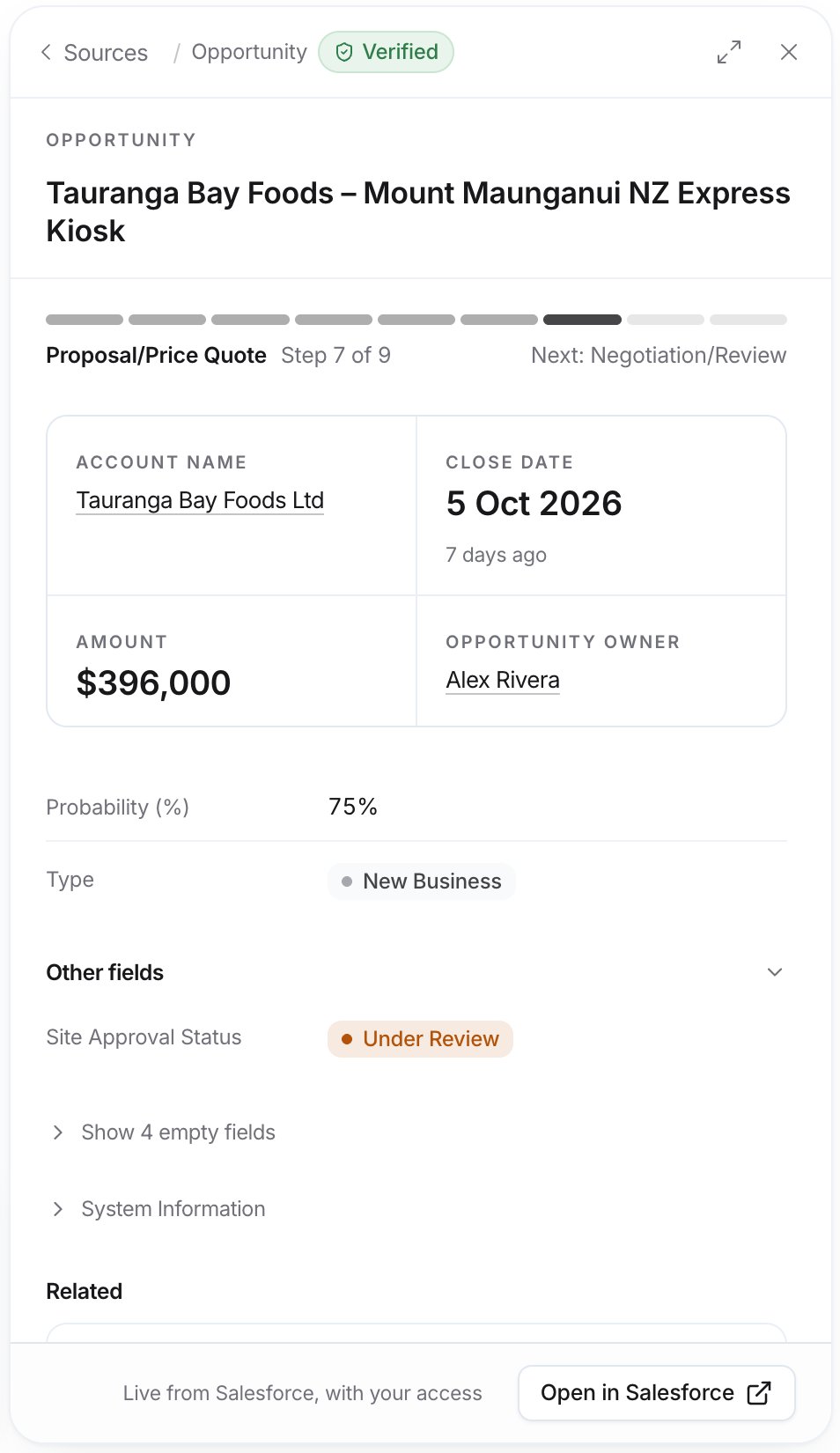
A record opened beside the chat.
Example prompts
Find deals that need attention
Count and group
Catch up on a deal
Troubleshooting
Parker can't find a record I know exists
Parker can't find a record I know exists
Parker sees only what your Salesforce user can see. Check that you can open the record in Salesforce. If you can, try the record’s exact name.
Parker says a record is stale
Parker says a record is stale
A Stale note under Notes on this reply means the records haven’t been edited in Salesforce for a while. The data is still read live, but it may be out of date in Salesforce itself.
Related
Create and update records
Make changes in Salesforce from chat.
Charts and diagrams
See your data as a chart.
Work panel
Read records and tables beside the chat.
Tips for asking
Get better answers.