

Before you begin
- Connect your Microsoft 365 mailbox in the web app. See Connect your mailbox.
- Your admin has turned this on for your workspace.
Save your drafts
When two or more drafts are waiting, Parker sends one card that names them, with two buttons:- Save all: saves every draft on the card to your Outlook Drafts folder.
- Review one by one: shows each draft on its own, so you can open, revise, or discard it.
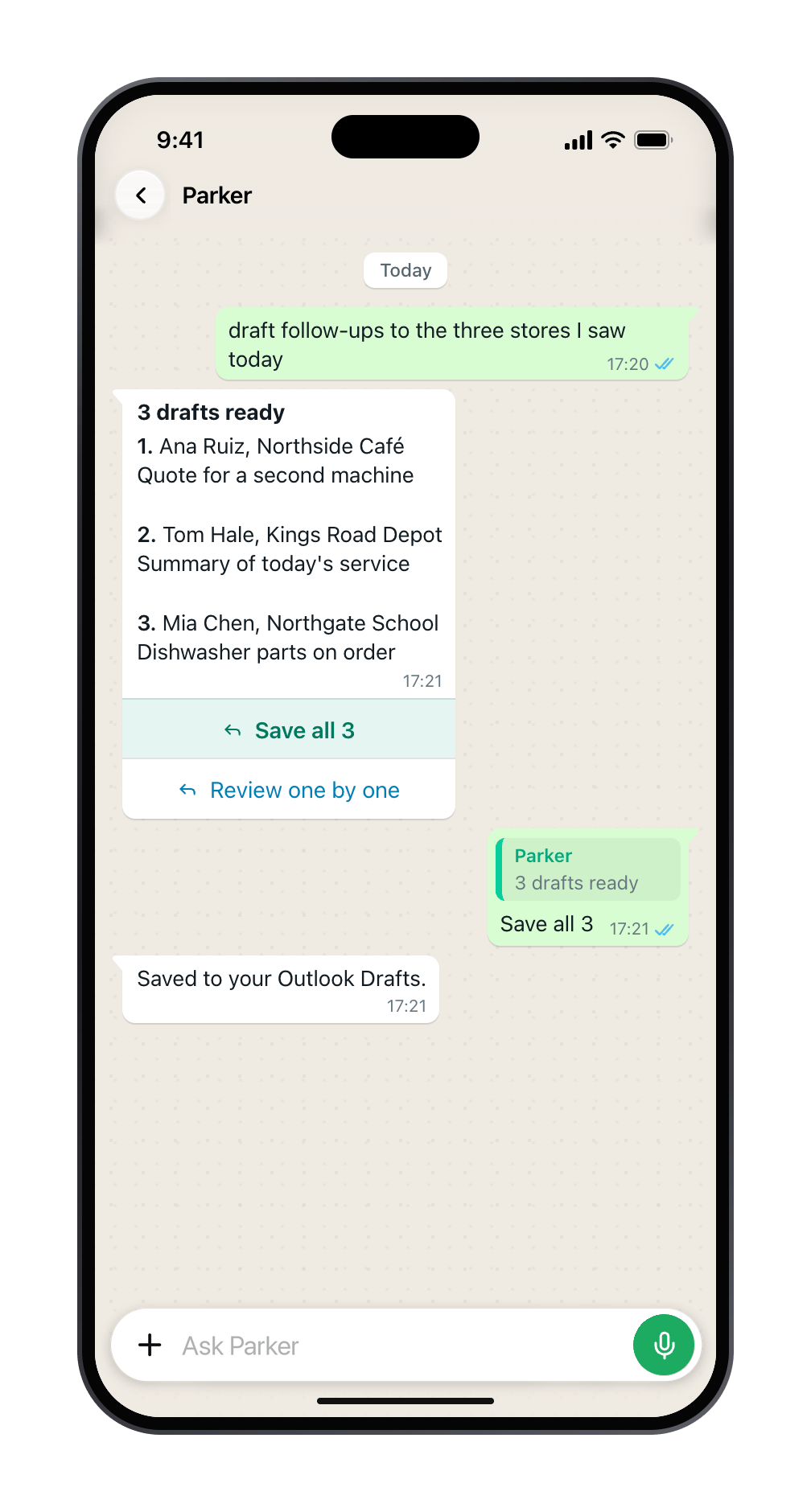
Three drafts, saved to Outlook in one tap.
Good to know
- Save all works for 24 hours. After that, review the drafts one by one.
- If a draft changed after Parker sent the card, it’s skipped, and Parker lists which ones.
Still need help?
Check Troubleshooting for the exact message you see. If a setting is admin-only, ask your Parker admin. For anything else, contact support.Related
Draft and send email
Email drafts in the web app.
Review drafts and runs
See what your automations drafted.