

Before you begin
You need the sign-in details for your Google or Microsoft 365 account.Connect your calendar
1
Open the Calendar page
Go to Settings > Connections, select Browse, and select the Google Calendar row. You can also select Add connector > Calendar.
2
Choose your calendar
In the Calendar Connection card, select Connect Google Calendar or Connect Microsoft Outlook. Sign in and approve the request.

Connect a Google or Outlook calendar from the Calendar page.
Set your scheduling defaults
The Calendar page also holds your defaults for new scheduling suggestions.
Working Hours shows your working days and hours. As the page says, “Parker reads your availability from the active calendar.”
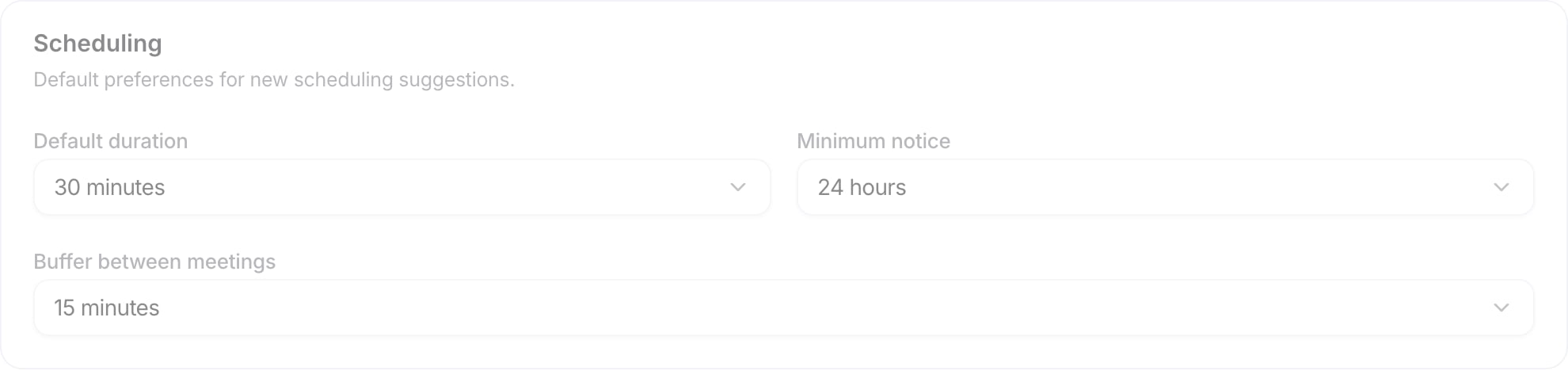
Scheduling defaults on the Calendar page.
Check it worked
In Settings > Connections, your calendar row shows Connected. For Microsoft 365, the Calendar row on the Microsoft 365 card shows Connected.Related
Connect your mailbox
Connect Outlook or Gmail.
Draft and send email
Write and send emails from chat.