

How do I open Settings?
Use any of these:- In the sidebar, select Settings (the gear button next to your name), and then select Settings.
- Press ⌘, on a Mac or Ctrl+, on Windows.
- In the chat box, type /settings and press Enter.
What’s in Settings?
Settings is grouped by what each section is about: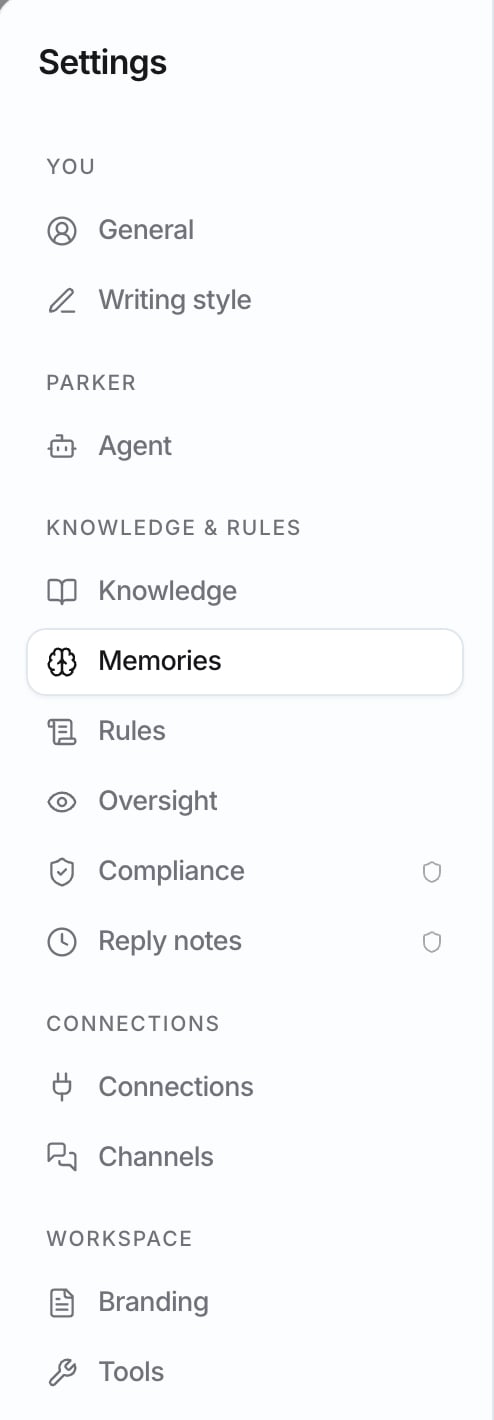
The sections in Settings.
General
General covers your account, notifications, and how the app looks. It has three groups: Account, Notifications, and Appearance.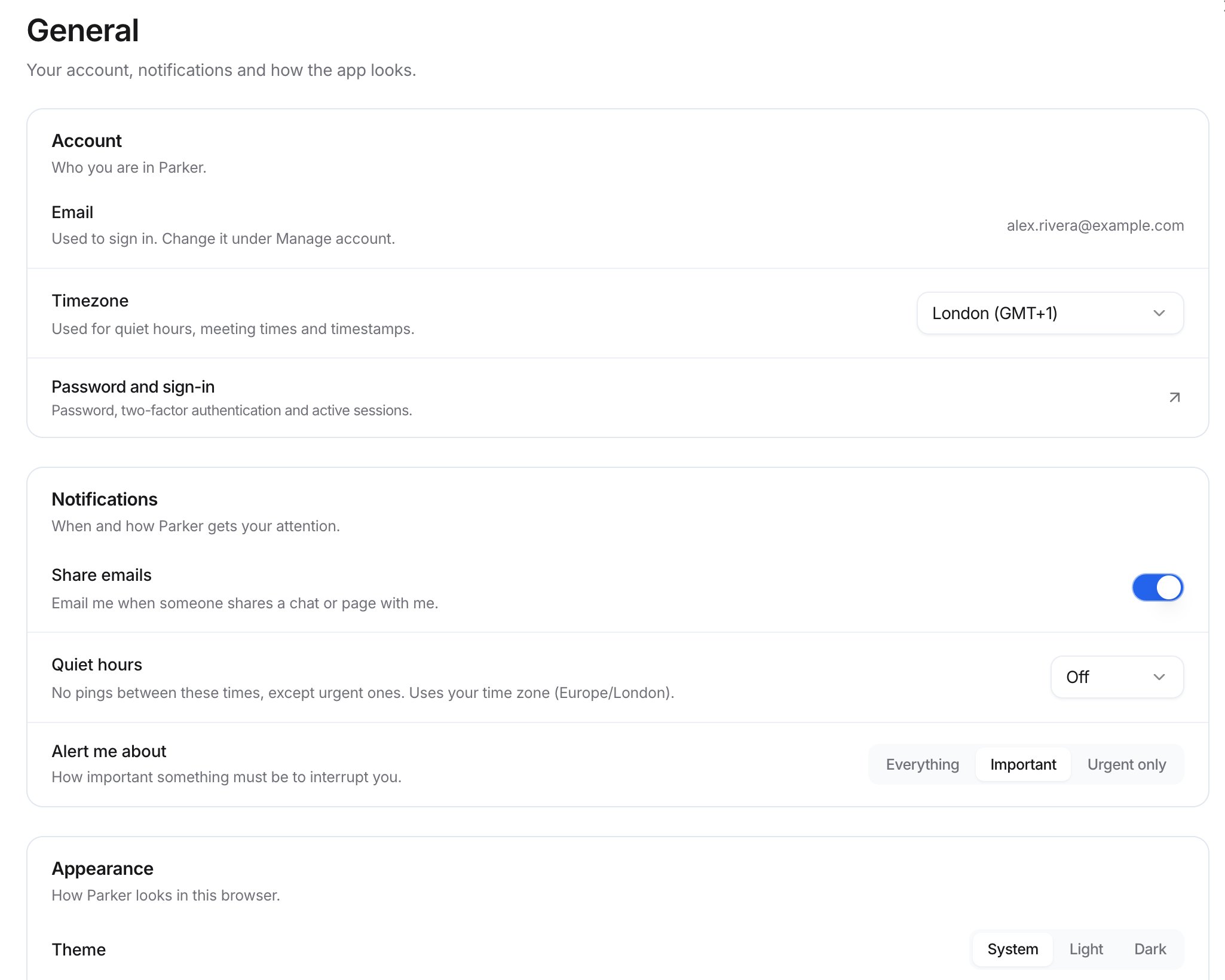
Settings > General.
Account
Notifications
Appearance
These settings apply to how Parker looks in the browser you’re using.How do I switch workspaces?
If you belong to more than one workspace, select Settings (the gear button) in the sidebar. Your workspaces are listed, and the one you’re in shows Current. Select another workspace to switch to it.How do I sign out?
In the sidebar, select Settings (the gear button), and then select Sign out.Troubleshooting
Meeting times or quiet hours are in the wrong time zone
Meeting times or quiet hours are in the wrong time zone
Set Timezone in Settings > General.
My theme or density looks different on another computer
My theme or density looks different on another computer
Appearance settings apply to the browser you’re using. Choose them again on the other computer or browser.
I can't change a setting
I can't change a setting
If the section has the Admin shield icon, only workspace admins can change it. Ask your admin.
Related
Keyboard shortcuts
Open Settings, search, and start chats from the keyboard.
Writing style
Teach Parker how you write.
Connect your mailbox
Connect Microsoft 365 or Gmail.
Settings reference
Every setting, who can change it, and what it does.