

Read a confirmation card
The card lists each field Parker will set. A change to an existing value shows as Field: old value → new value. Under it are three buttons:
If the change is too long for one card, Parker sends the full list as a message first.
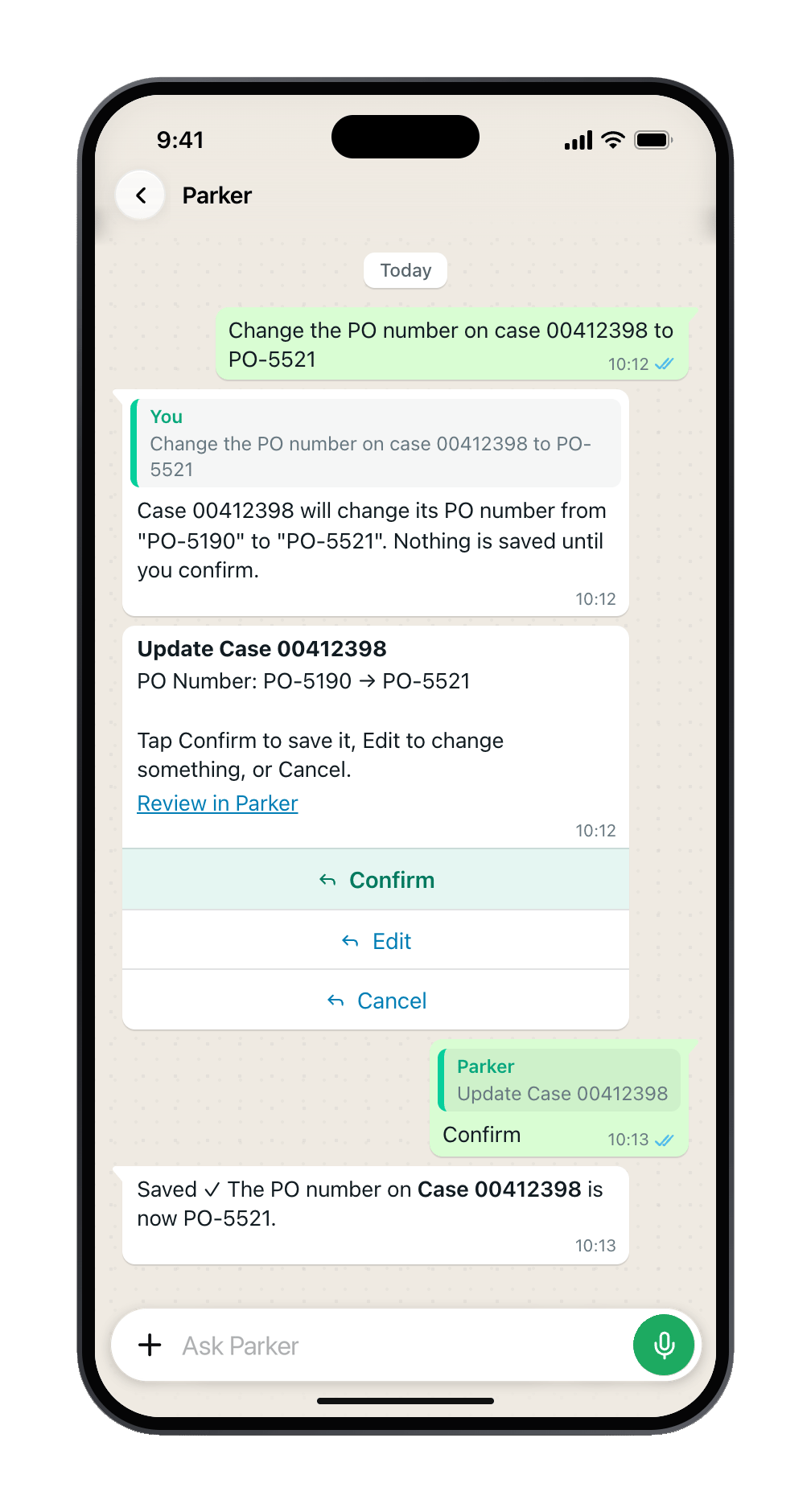
A change shows the old and new value. Confirm saves it.
Only your tap saves. Photos, documents, forwarded messages, shared contacts, and locations can suggest a change, but never approve one.
Got it wrong? Just say so
You don’t need special words. Any of these work:- Type a correction, such as “No, it’s Group 3” or “Make that Thursday.”
- Swipe to reply to the card or answer that’s wrong, and type the fix. Parker knows which message you mean.
- Select Edit on the card.
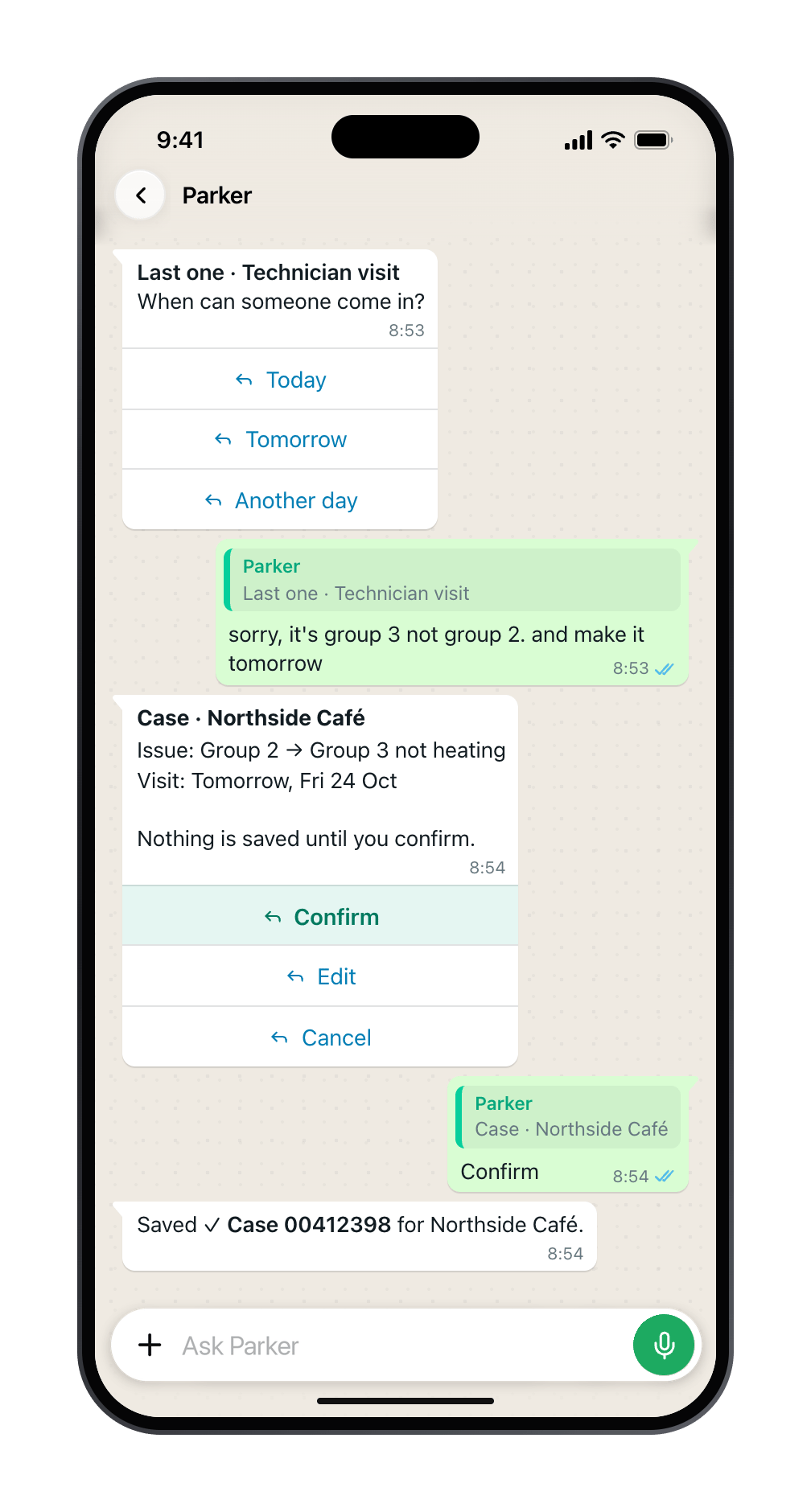
Swipe-reply to the line that's wrong, say what to change, then Confirm the new card.
Pick from a list
When Parker needs you to choose, it shows up to three buttons, or a list for more. You can also type the number of an option.Good to know
- A double tap saves once. Each card works once.
- One card at a time. If a card is waiting, Parker asks you to confirm or cancel it before it starts something new.
- Old cards expire. If a card no longer works, ask Parker again for a fresh one.
- If someone else changed the record after Parker showed the card, Confirm won’t overwrite their change. Parker tells you which fields moved and prepares the change again.
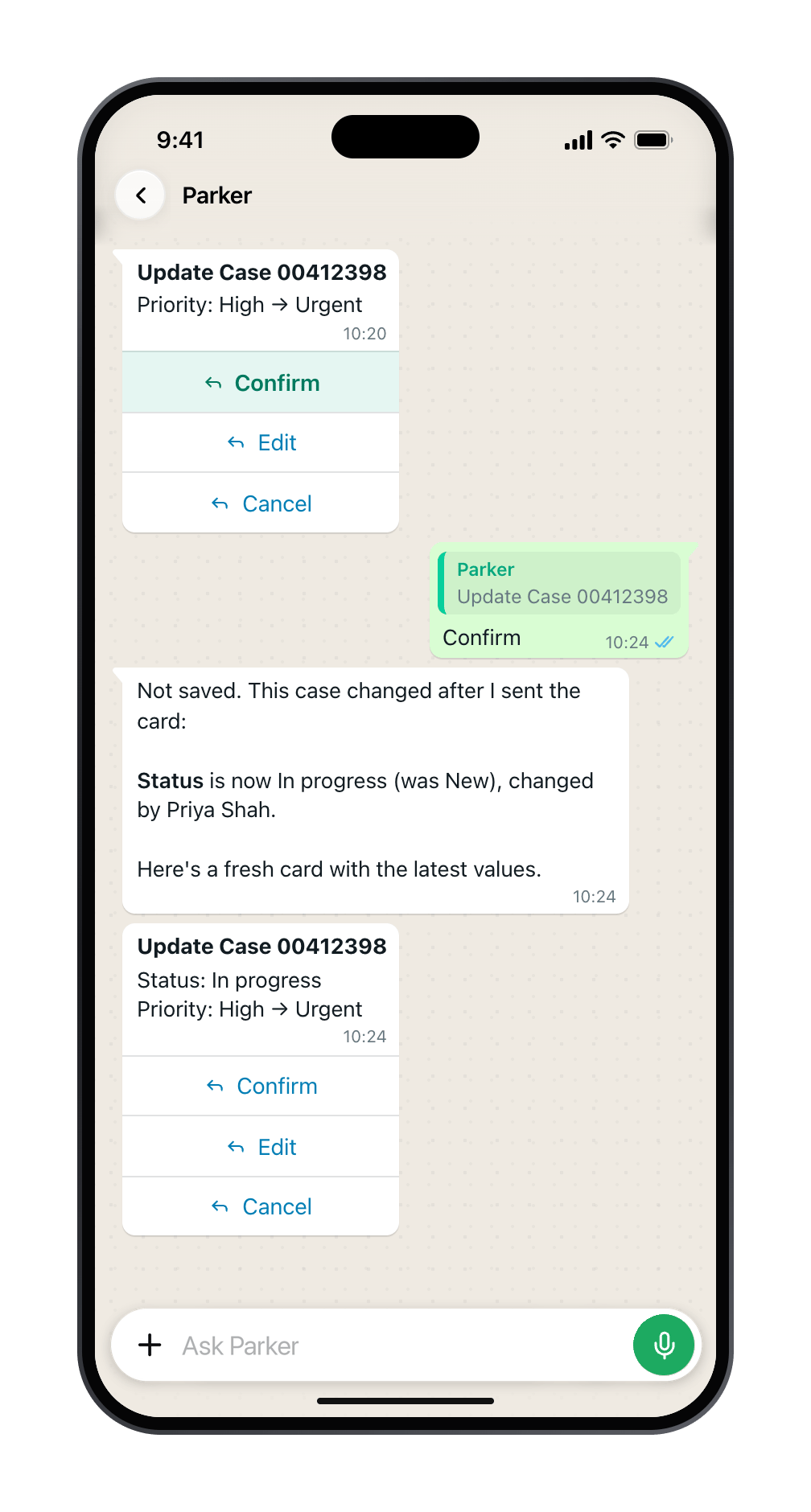
The record changed after the card was sent, so Parker sends a fresh one.
Still need help?
Check Troubleshooting for the exact message you see. If a setting is admin-only, ask your Parker admin. For anything else, contact support.Related
How Parker acts on your behalf
Confirmations in the Parker app and on the web.
When Salesforce says no
What happens when a save is refused.