

- Knowledge library: documents and websites Parker uses and cites.
- Datasets: CSV and spreadsheet files Parker can query and chart.
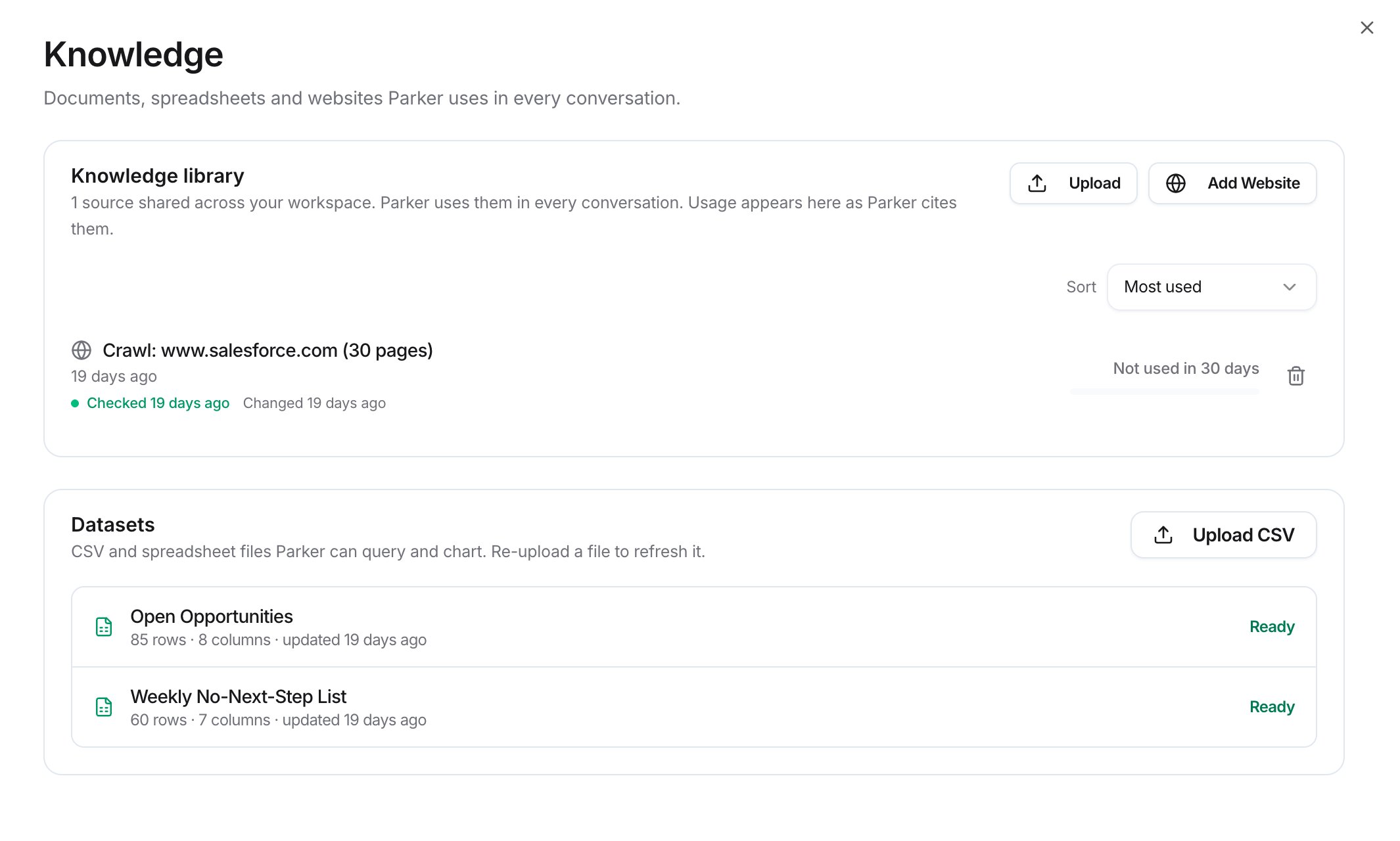
The Knowledge page
Upload documents
1
Open Knowledge
Go to Settings > Knowledge.
2
Choose files
Select Upload. Drag files onto the dialog, or select Browse. Allowed types are .pdf, .txt, .docx, .xlsx, and .pptx, up to 25 MB per file.
3
Upload
Select Upload & Process.
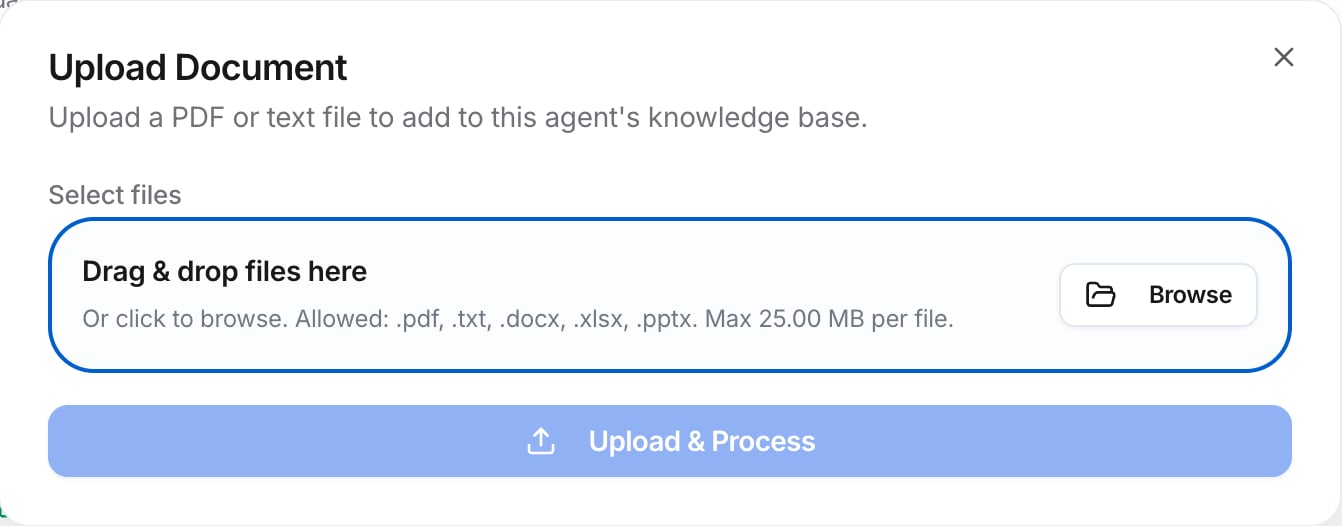
The Upload Document dialog
Add a website
Add a help center or docs site. Parker maps the site, shows you what it finds, and keeps it fresh automatically.1
Open the dialog
Select Add Website.
2
Enter the address
In Website or help-center URL, enter the top of the site, for example
https://help.example.com. Parker follows the links from there.3
Preview
Select Preview site to see what Parker finds, then add it.
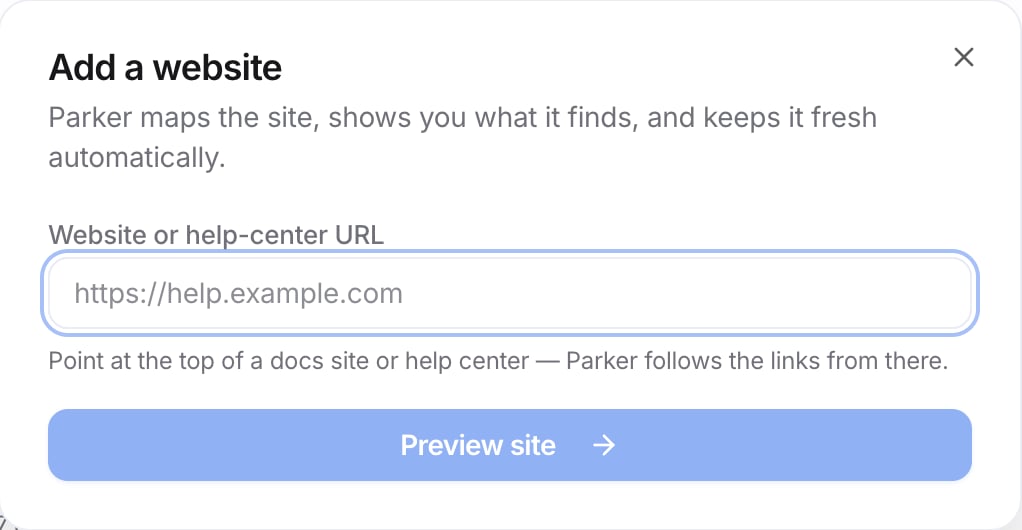
The Add a website dialog
Upload a dataset
1
Open the upload dialog
In the Datasets card, select Upload CSV.
2
Choose a file
Choose a CSV or Excel file, up to 25 MB. Parker reads it and shows you what it found before anything is saved.
3
Import
Check what Parker found, then select Import.
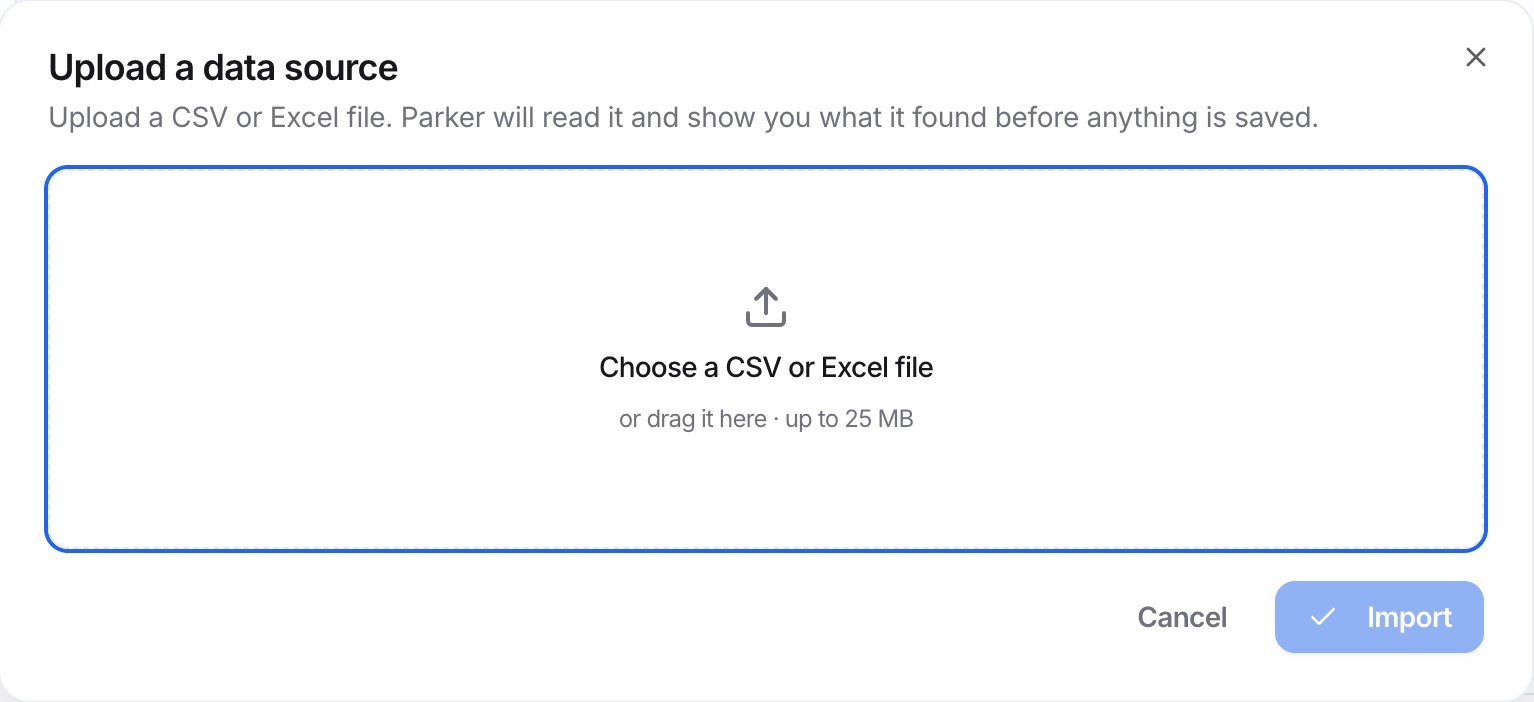
The Upload a data source dialog
Check it worked
Each source appears in the list. Each dataset shows its row and column counts, and Ready when Parker can use it. Then ask Parker about it:Answers from an uploaded document
Queries an uploaded dataset
See how much each source is used
Usage appears as Parker cites your sources. Each source shows how often Parker drew on it in the last 30 days, for example Not used in 30 days. Use Sort to order the list by Most used, Least used, or Recently added. Select a source’s name to see the pages or text Parker has read, and a Usage chart of answers that drew on it over the last 12 weeks.Remove a source
- Document or website: select the delete icon on its row, or open it and select Delete. Parker can no longer use it.
- Dataset: select it, then select Delete.
Troubleshooting
A file type isn't accepted
A file type isn't accepted
Upload .pdf, .txt, .docx, .xlsx, or .pptx files up to 25 MB. For a spreadsheet you want Parker to query, use Upload CSV instead.
Parker didn't use my document
Parker didn't use my document
Ask more directly, and name the document. For example, “According to the pricing guide, …”.
Related
Files and attachments
Attach a file to one chat instead.
Set house rules
Turn policies into rules Parker must follow.
Compliance
Regulation documents and coverage.