

How is the Connections page laid out?
- Connected and Browse tabs. Connected shows what you’ve connected. Browse shows what you can still add.
- Popular cards for Salesforce and Microsoft 365. If you aren’t connected, the card shows Connect.
- A table of connectors with Type and Status columns. Select a row to open it.
- Add connector, a menu with Salesforce, CSV / spreadsheet (in Knowledge), Microsoft 365 email, Calendar, and Add a server by URL.
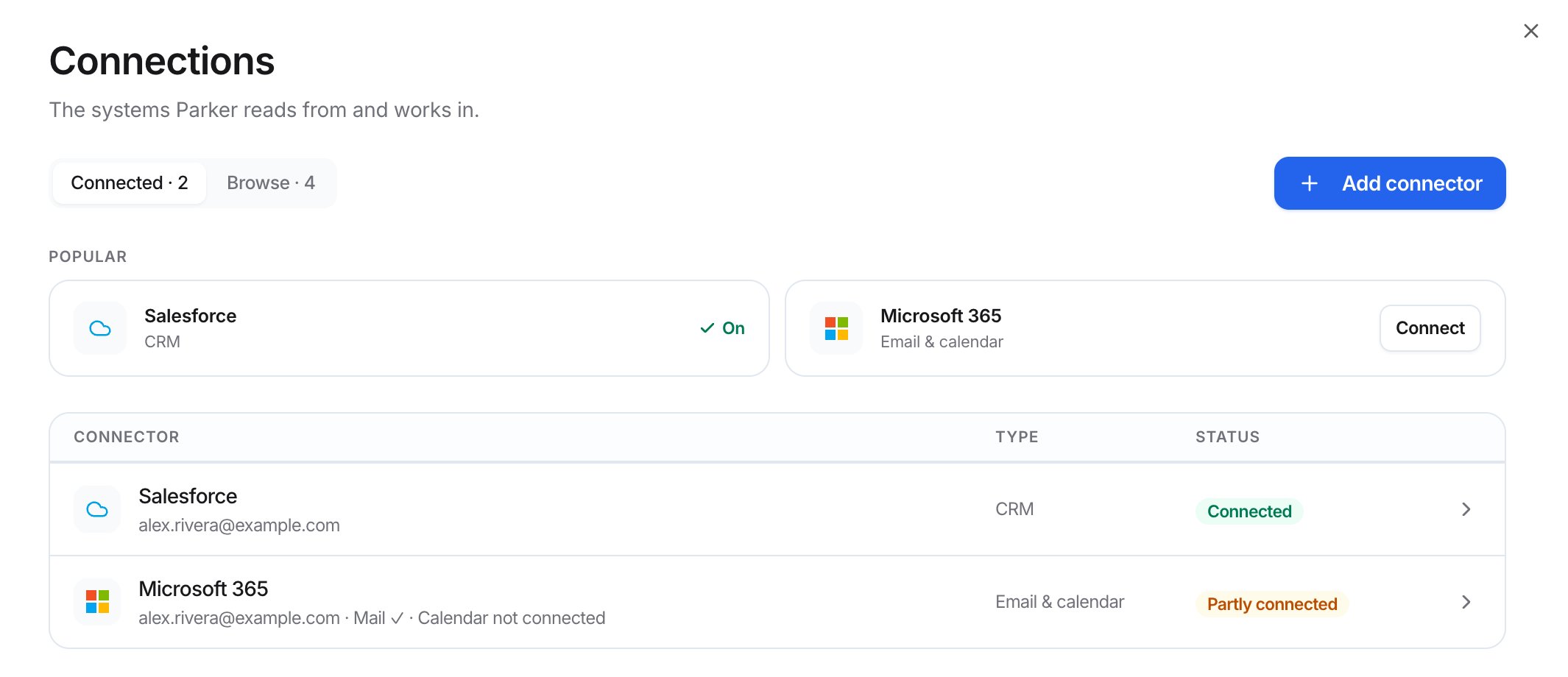
The Connected tab
Which connections are personal?
CSV and spreadsheet datasets live in Settings > Knowledge, not here. See Add knowledge.
Which apps can I add?
The Browse tab lists three apps your workspace can add:- Linear: search issues, projects, and cycles.
- Notion: search pages and databases, such as playbooks and account notes.
- Asana: look up tasks, projects, and assignees.
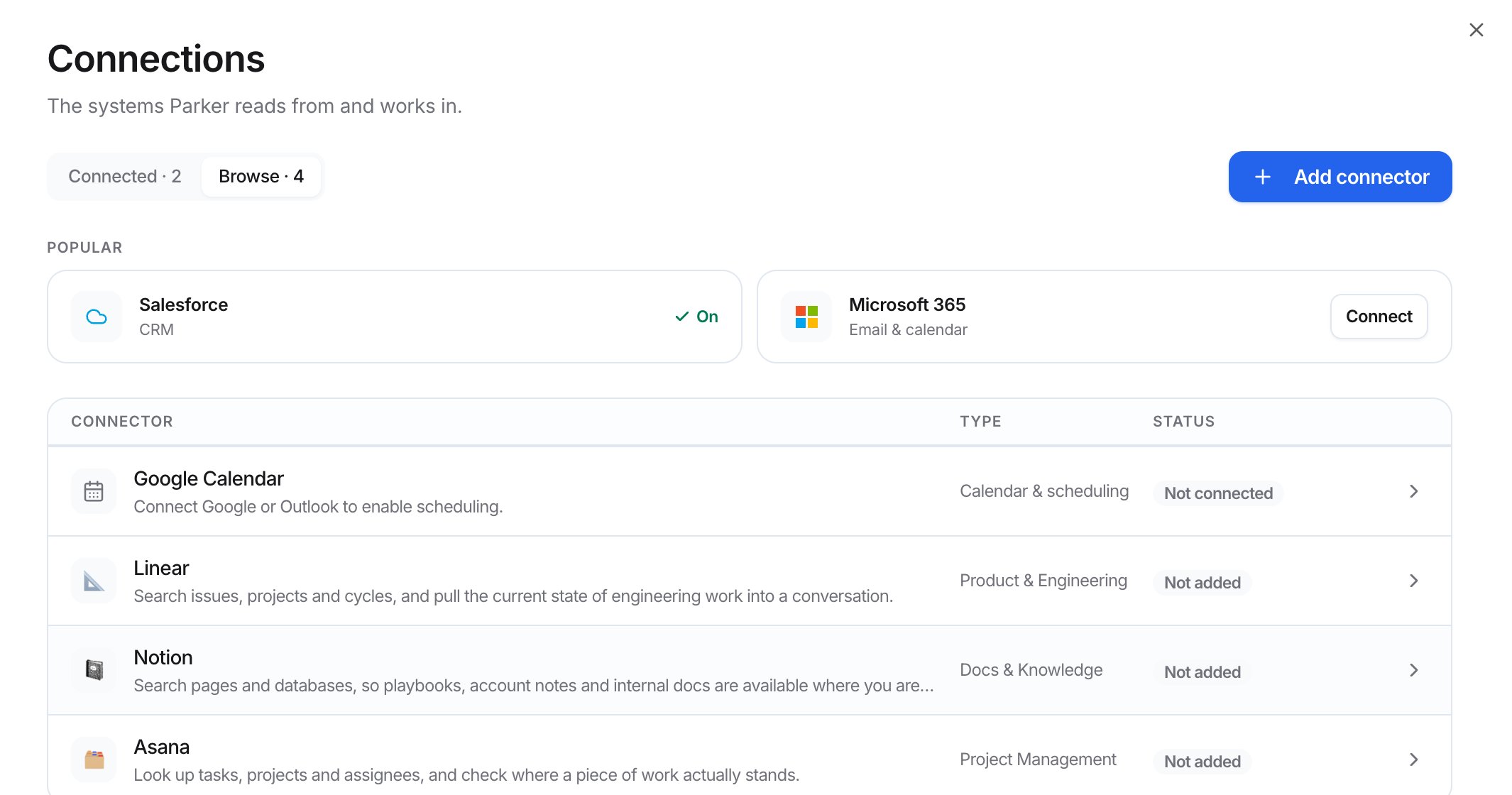
The Browse tab
Add an app Parker doesn’t list
If an app offers an MCP server, you can add it by its address.1
Open the dialog
Select Add connector > Add a server by URL.
2
Check the server
Paste the server address, for example
https://mcp.example.com/mcp, then select Check. Parker checks it before anything is saved.3
Add it
Select Add to workspace.
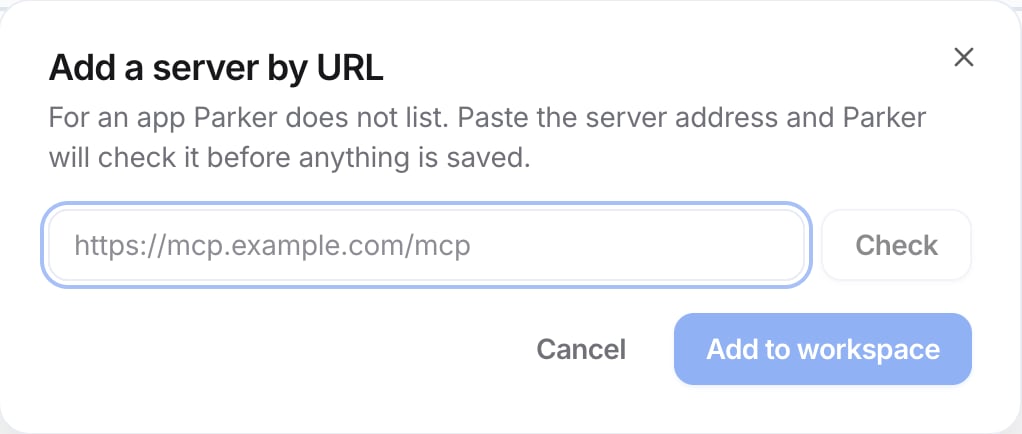
Add a server by URL
What do the statuses mean?
Related
Connect Salesforce
Your Salesforce login and admin controls.
Connect your mailbox
Gmail and Outlook.
Channels
Teams, Messages, and WhatsApp.
Tools
Manage the tools Parker can use.