

Admins only. Only workspace admins can change these settings. If you’re not an admin, you can still see them, but you can’t edit them.
What’s on this page?
How does enforcement work?
The Enforcement card shows what Parker is running right now. Each row has a status label for the live setting, and a list for what you want. Where your selection differs from what’s live, a note under the row says so.
Rule checking takes effect from here. Sender identification and chat delivery are stored as your intent, and activate once your Parker operator completes review.
This card can raise rule checking, but it never lowers it. If rule checking is already Enforcing, it stays that way. To step it down, ask your Parker operator.
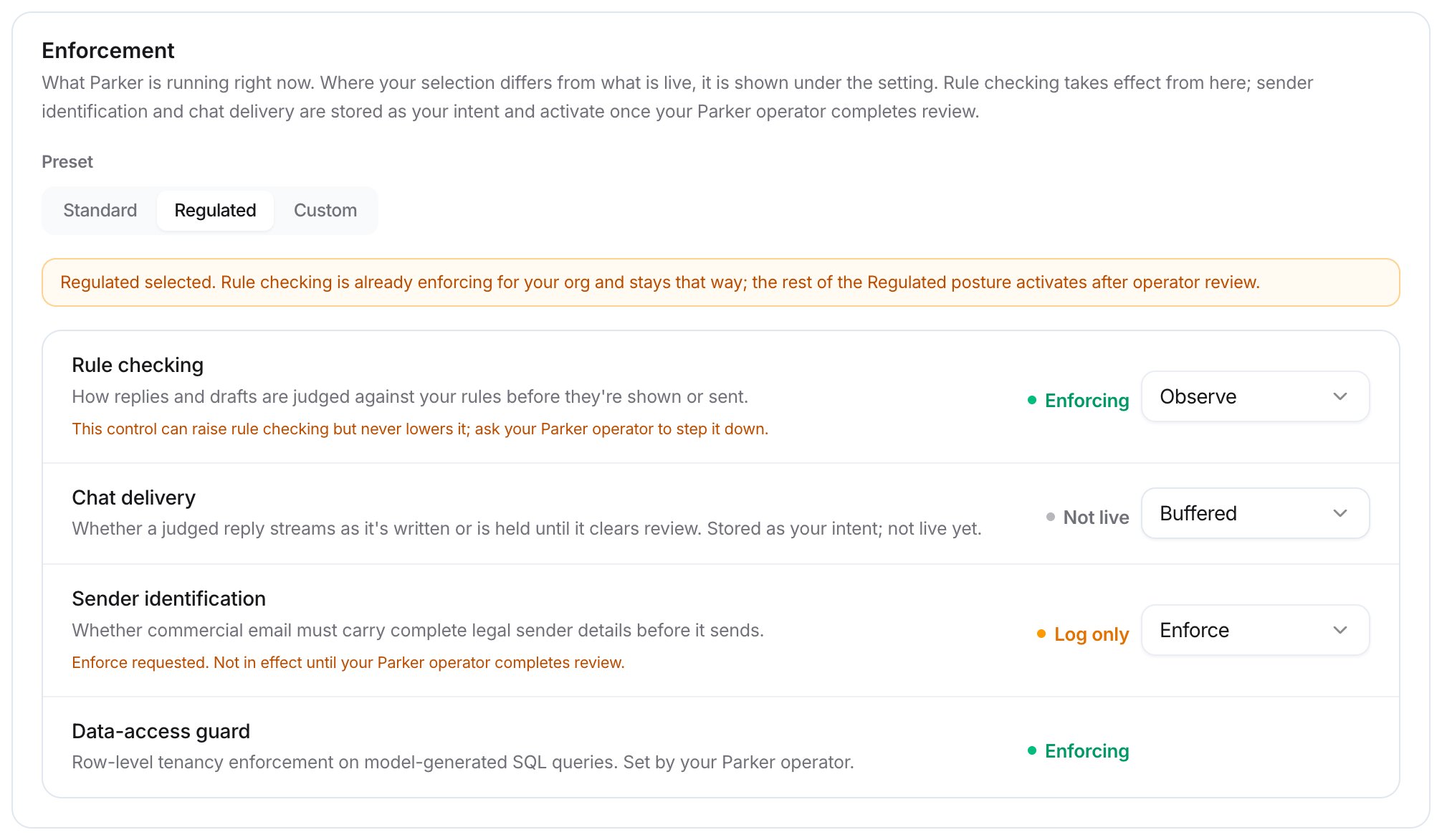
The Enforcement card with the Regulated preset
What do the presets do?
The Preset control offers Standard, Regulated, and Custom. If you select Regulated, a notice explains what’s already live and what activates after operator review.How strict should rule enforcement be?
Rule enforcement sets how strictly Parker holds your rules. Every reply shows how many rules passed, were flagged, or were broken. Under Enforcement, select Guidance, Standard, or Strict. The text under it describes your choice. For example, Strict means every rule is non-negotiable, and requests to override one are refused. It’s meant for regulated work.
Rule enforcement set to Strict
What do quality checks do?
Quality checks look at each drafted reply before it’s returned. Set the Depth to Basic or Thorough. Basic checks the sources behind every reply, and adds almost no time.How do I add a reviewer?
Reviewers get Parker’s drafts by email and approve them before they send.1
Open Reviewers
Go to Settings > Oversight and find Reviewers.
2
Add the person
Select Add reviewer. Enter their Email and, if you like, a Name (optional).
3
Save
Select Add.
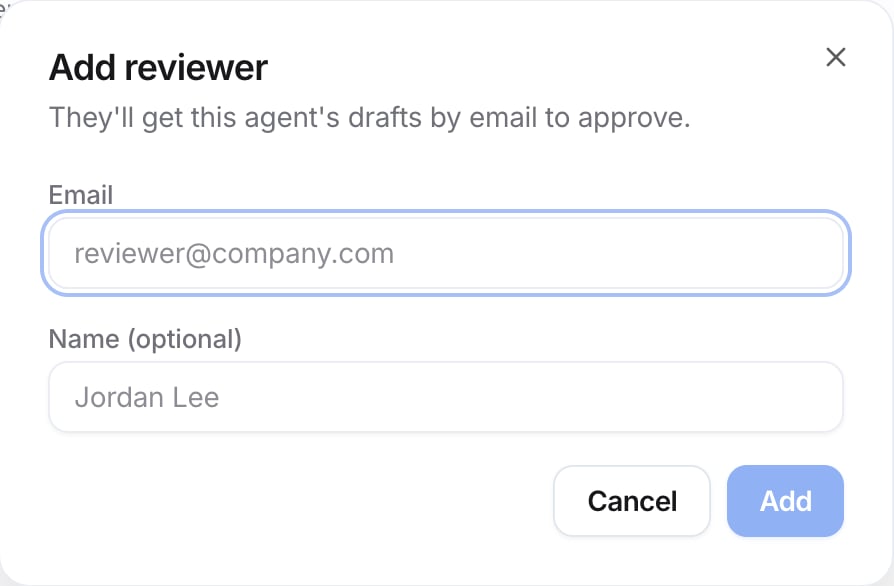
The Add reviewer dialog
Which safety checks run?
Under Safety, Workspace safety checks says what’s checked on every reply, whatever the agent’s settings: personal data, prompt injection, moderation, and competitor mentions. Every reply is labelled Safe, Flagged, or Blocked. For each check’s status, see Compliance.How do I read evaluations?
Evaluations summarizes every rule check on Parker’s replies:- Pass rate, Evaluations, and Violations for the last 30 days. Violations also says how many more were unclear.
- Refusal rate over the last 7 days.
- Daily results: one bar per day. Green passed, amber was unclear, and red broke a rule. Taller bars mean more checks.
- Checker accuracy: how closely the checker agrees with verdicts admins corrected, overall and for Critical rules, Important rules, and Preferred rules. It needs 50 corrections to settle.
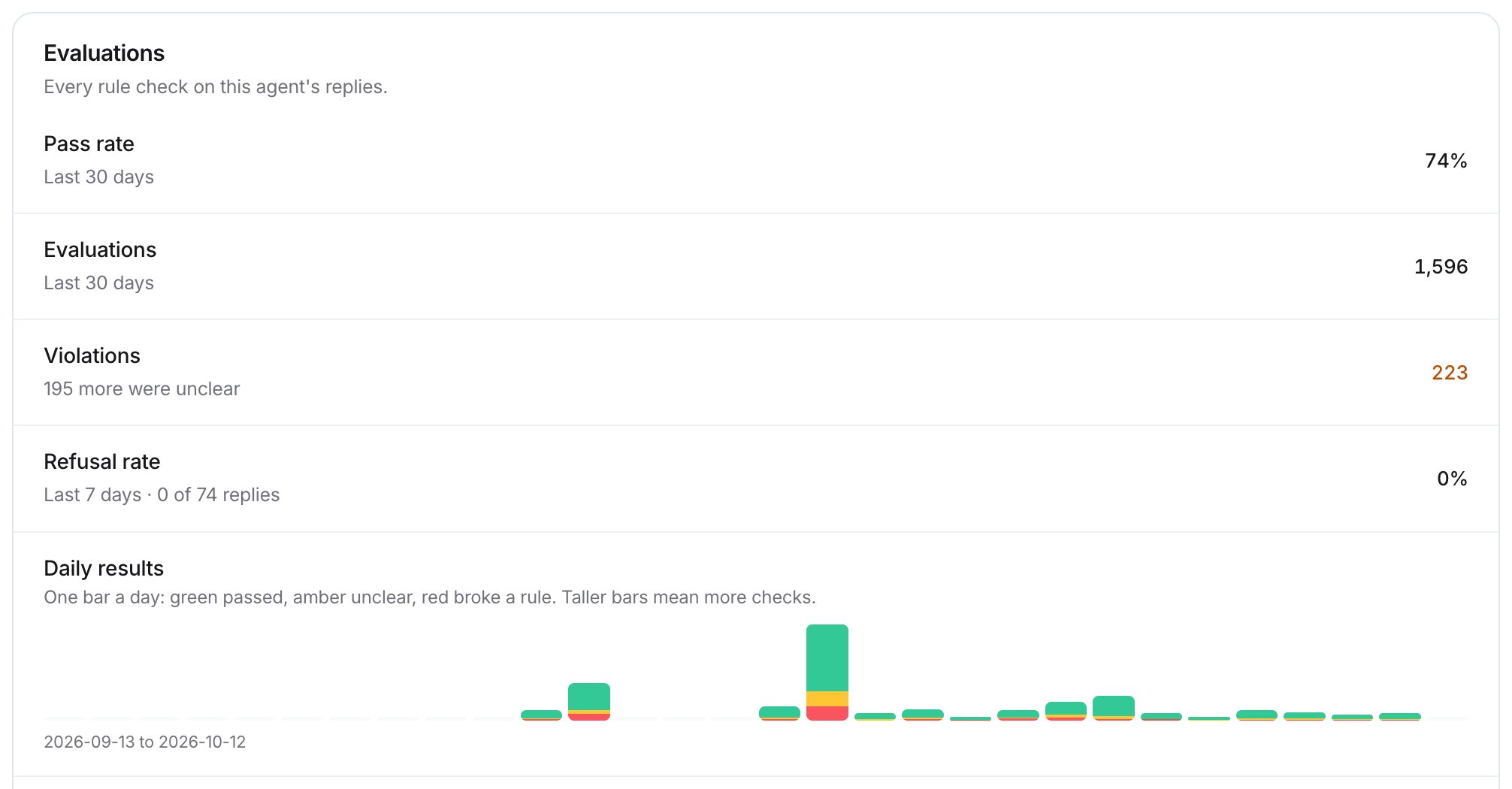
Evaluations — example, your results will differ
How do I correct a wrong verdict?
Recent checks lists the latest rule checks. Each one says whether it passed, broke the rule, or was unclear, and whether the reply was held or logged. If a verdict is wrong, select Mark wrong on it. Your corrections teach the checker and count toward Checker accuracy.Reply notes
Settings > Reply notes sets when Parker flags Salesforce data as out of date. Parker notes when a record it cites was last edited longer ago than your threshold. The page carries an Admin label. Under Stale records, each record type has its own threshold in days:
Enter a number of days, then select Save. To return a changed row to its default, select Reset on that row.
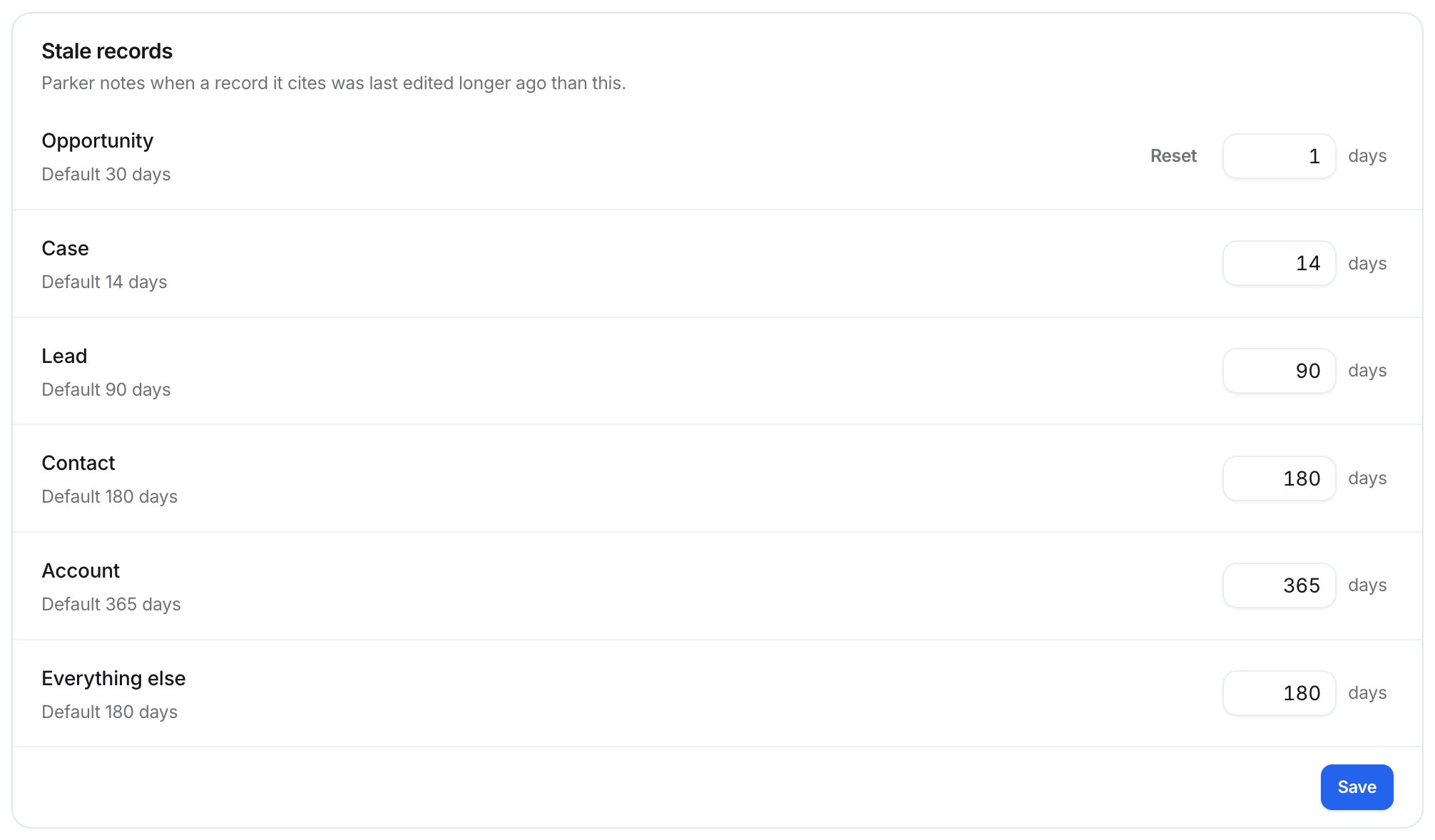
Stale records, with Opportunity changed from its default
Troubleshooting
I chose Regulated, but some rows don't show it yet
I chose Regulated, but some rows don't show it yet
That’s expected. Sender identification and chat delivery activate only after your Parker operator completes review.
I chose Observe, but rule checking still says Enforcing
I chose Observe, but rule checking still says Enforcing
This card never lowers rule checking. Ask your Parker operator to step it down.
Related
Rules
Write the house rules Parker follows.
Compliance
Add regulations and see your safety checks.
Autonomy
Choose how much Parker does on its own.
Settings reference
Every setting in one table.